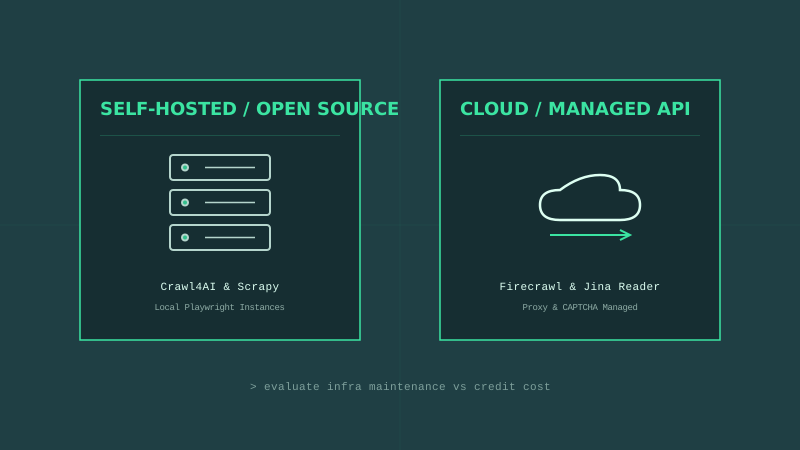
When building RAG datasets or fine-tuning models, your LLM is only as smart as the data you feed it. But scraping thousands of websites to collect text introduces an immediate operational choice: do you host your own scraper cluster or call a cloud extraction API? If you choose to query cloud indices, you should first check our guide on Beyond Google Search to understand web grounding APIs.
To answer this, we compare four popular developer tools: two open-source frameworks (Crawl4AI and Scrapy) and two API-first services (Firecrawl and Jina Reader).
1. Crawl4AI (Open Source / Playwright)
Crawl4AI (see our detailed Crawl4AI integration guide) is an open-source Python library designed to crawl dynamic, JS-rendered sites and output clean Markdown.
- Under the Hood: It wraps Playwright to spin up headless Chromium instances, execute client-side scripts, and render the DOM before extracting content.
- The Code:
import asyncio from crawl4ai import AsyncWebCrawler async def main(): async with AsyncWebCrawler() as crawler: result = await crawler.arun(url="https://docs.astro.build") print(result.markdown) asyncio.run(main()) - The Trade-off: You have absolute control. You can inject custom JS, configure headers, and clean the HTML before converting it. But you must pay the infrastructure tax: running Chromium in production consumes significant CPU and RAM, and you must manage your own residential proxy pools to prevent IP bans.
2. Scrapy (Open Source / Legacy)
Scrapy is the industry-standard Python framework for heavy, structural multi-page crawls.
- Under the Hood: It uses an asynchronous event-driven architecture (Twisted) to fetch raw HTML files at extreme speeds.
- The Trade-off: Scrapy is incredibly fast and memory-efficient because it does not spin up a heavy headless browser by default. However, it cannot execute JavaScript. If a page loads its data dynamically via React or Vue, Scrapy will only download an empty HTML shell. You must integrate extra middleware like
scrapy-playwrightto parse dynamic sites, negating its speed advantages.
3. Firecrawl (Hosted / API-First)
Firecrawl is a managed API layer that wraps web crawling and proxy management.
- Under the Hood: You submit a URL to their API, and their servers spin up the headless browser, handle CAPTCHAs, rotate residential proxies, bypass Cloudflare firewalls, and return clean Markdown.
- The Code:
from firecrawl import FirecrawlApp app = FirecrawlApp(api_key="fc-YOUR_API_KEY") scrape_result = app.scrape_url('https://docs.astro.build') print(scrape_result['markdown']) - The Trade-off: Zero infrastructure maintenance. You don’t manage browsers or buy proxy packages. The trade-off is billing: pricing is usage-based (credits per page), which can get expensive if you need to ingest millions of documents per month.
4. Jina Reader (Hosted / Lightweight)
Jina Reader is a simple HTTP endpoint that converts any public URL to clean Markdown.
- How it works: You prepend
https://r.jina.ai/to any URL. Jina fetches the page and returns a plain text markdown payload. - The Code:
curl https://r.jina.ai/https://docs.astro.build - The Trade-off: It is the fastest way to get markdown for single links. It handles basic proxy rotation and formatting. However, it lacks advanced crawler control—you cannot easily customize extraction rules, click page elements, or traverse directories.
Operational Decision Matrix
| Constraint | Recommended Path | Primary Reason |
|---|---|---|
| High volume, low budget, static pages | Scrapy | Minimal CPU footprint, extreme raw network throughput |
| Dynamic pages, custom extraction logic | Crawl4AI | Full Playwright control over browser actions |
| Scale crawls, zero server maintenance | Firecrawl | Handles proxy rotation, CAPTCHAs, and rate limits in the cloud |
| Real-time user link parsing | Jina Reader | Ultra-simple single API request wrapper |